


SADED System
Human Resources Management
The easiest and most comprehensive solution for HR management in Saudi Arabia.What sets us apart is that a customized version of the system and a mobile app for employees are delivered for "each company" on the client’s private server.
Available Integrations with:
Start with SADED !
Why choose SADED?
Unlimited users and employees
You can add an unlimited number of users and employees without extra costs.
Ongoing maintenance and updates
We ensure regular system maintenance and updates to keep pace with the latest tech advancements.
Compliance with Saudi labor law
SADED is designed in accordance with Saudi labor laws and automatically applies legal changes to client versions.
Automated notifications under Article 80
The system automatically sends warnings to employees based on unjustified absences, ensuring compliance and reducing administrative burdens.
Automatic GOSI calculations
SADED calculates social insurance (GOSI) contributions for each employee with precision, simplifying payroll management and ensuring compliance.
Salary report for the Central Bank
The system generates the required payroll report for Mudad, facilitating salary transfers and compliance.
Automatic integration of employee requests
The system integrates seamlessly with internal workflows for approval processes such as leave or advances, ensuring quick and accurate execution.
Employee status and salary updates
SADED can automatically change an employee's status and update salary data when reactivating them while maintaining their previous records.
Flexible administrative process tracking
The system offers precise, flexible tracking for all administrative processes, enhancing transparency and enabling effective review and analysis of operations.
Solutions
- User-friendly interface for entering and updating employee data
- Add employees and specify required information
- Manage employee status with start/end dates and reasons
- Comprehensive employee file management
- Automatic calculation of gross and net salaries based on allowances and activated social insurance

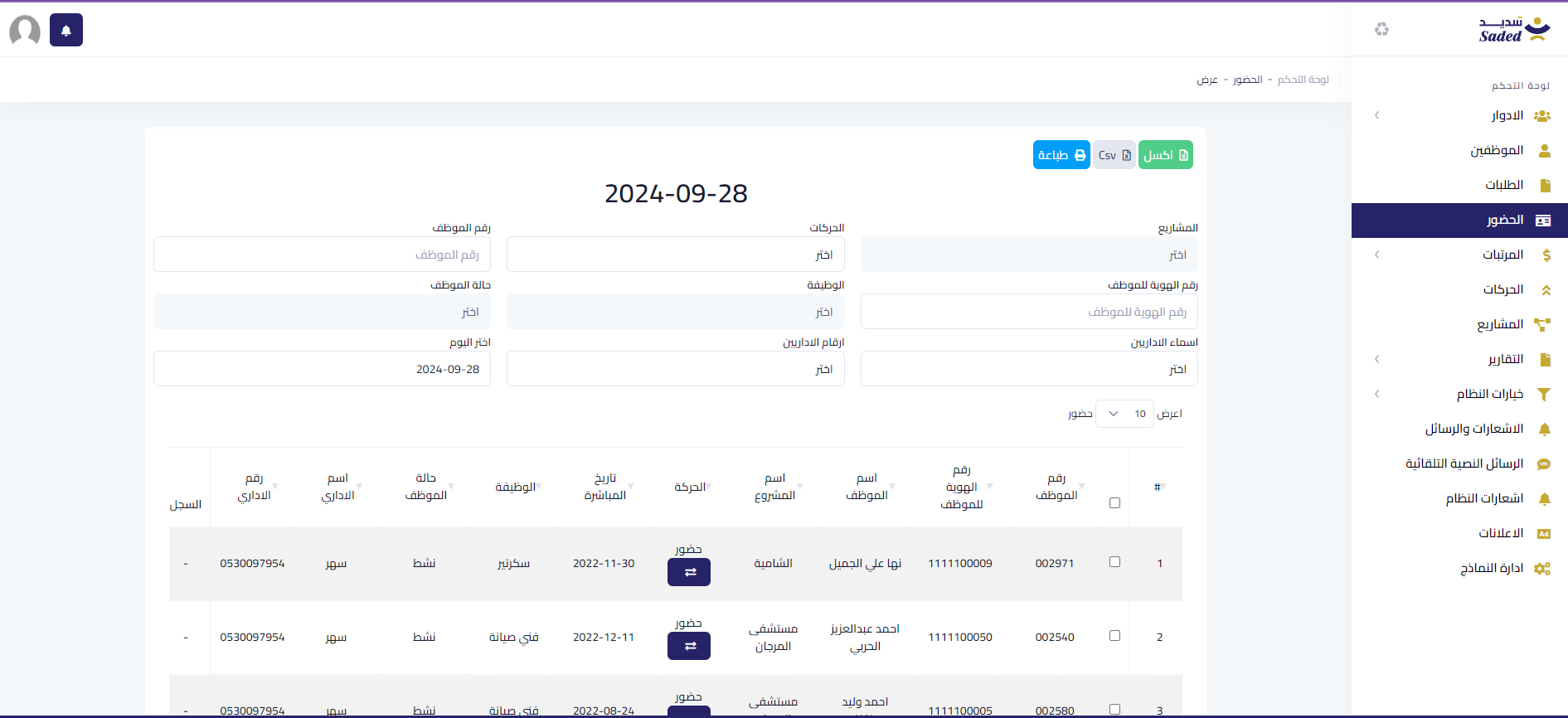
- Manage daily employee attendance and movements
- Integration with biometric devices or attendance via mobile app
- Update employee attendance status and track changes
- Control attendance visibility for employees in the app
- Finalize monthly attendance for payroll processing
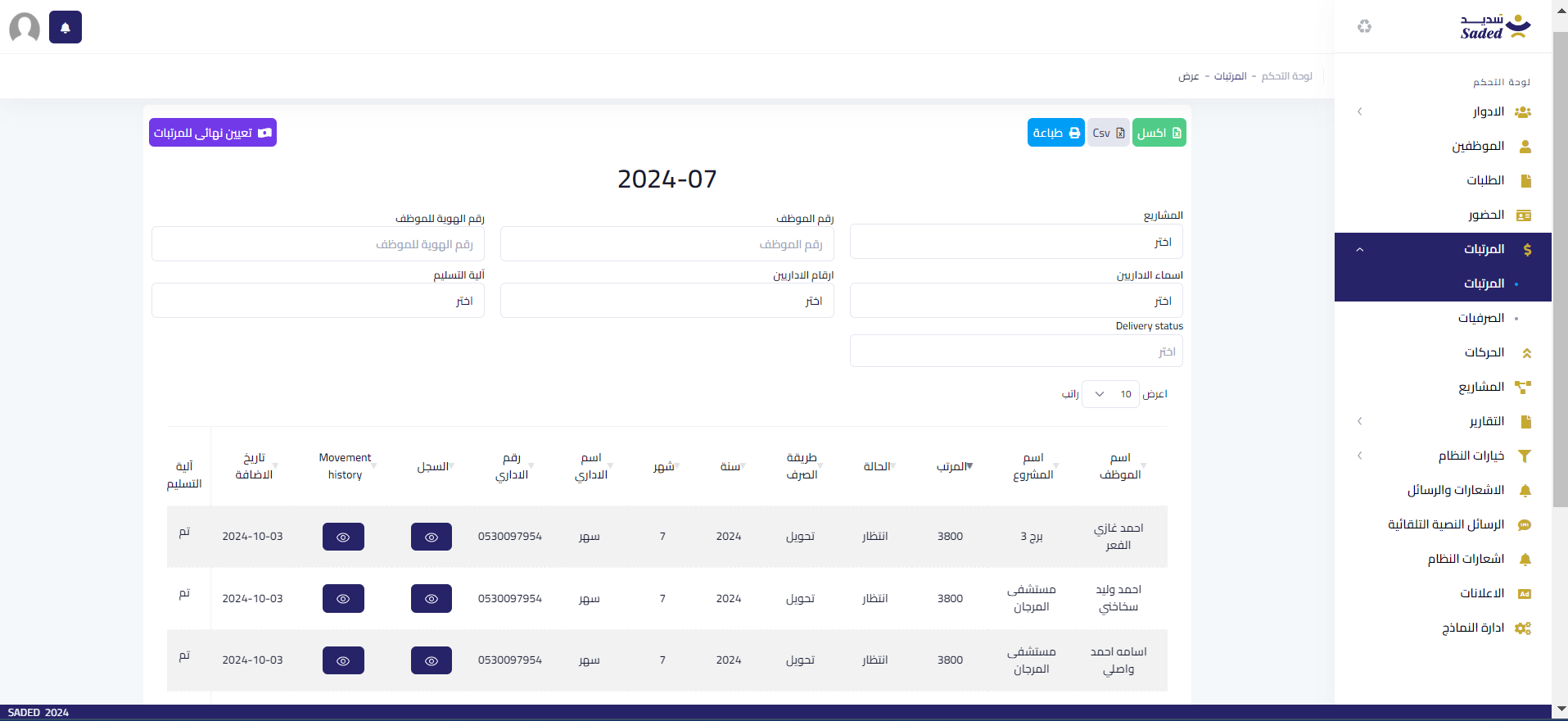
- Display a full breakdown of monthly employee salary
- Generate monthly payroll lists for each employee based on attendance
- Manually adjust salaries if needed
- Set salary payment status with date and method
- Manage financial records and payroll entries
- Automatically calculate social insurance contributions with precision from the date of activation for each employee
- Manage requests from the mobile app (e.g., sick leave, annual leave, emergency leave, unpaid leave, advance, resignation) with descriptions and attachments
- Option to approve or reject with automatic action upon approval
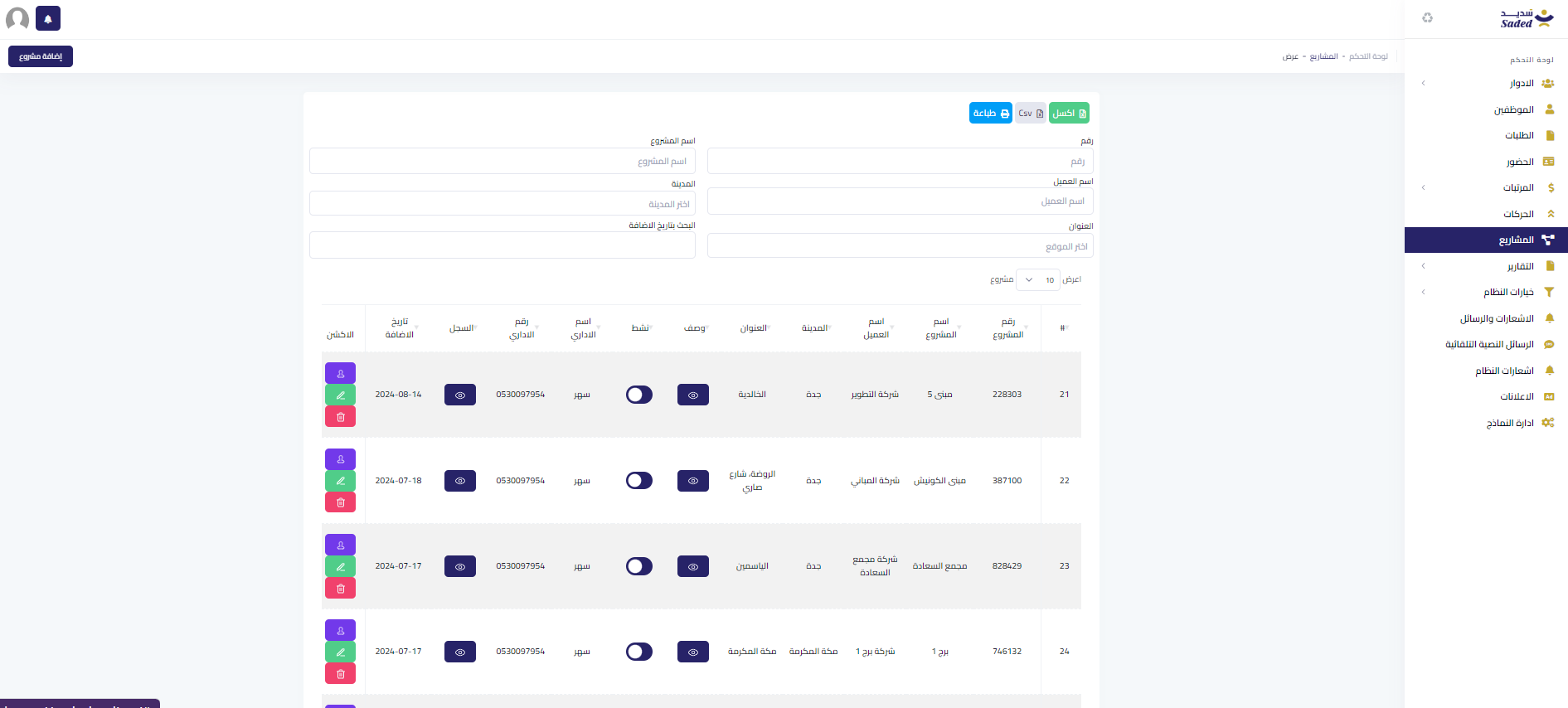
- Add and manage projects with detailed information
- Manage lists of employees working on each project
- Interface for adding and managing financial movements like salary increases or deductions
- Record and track financial movements for each employee
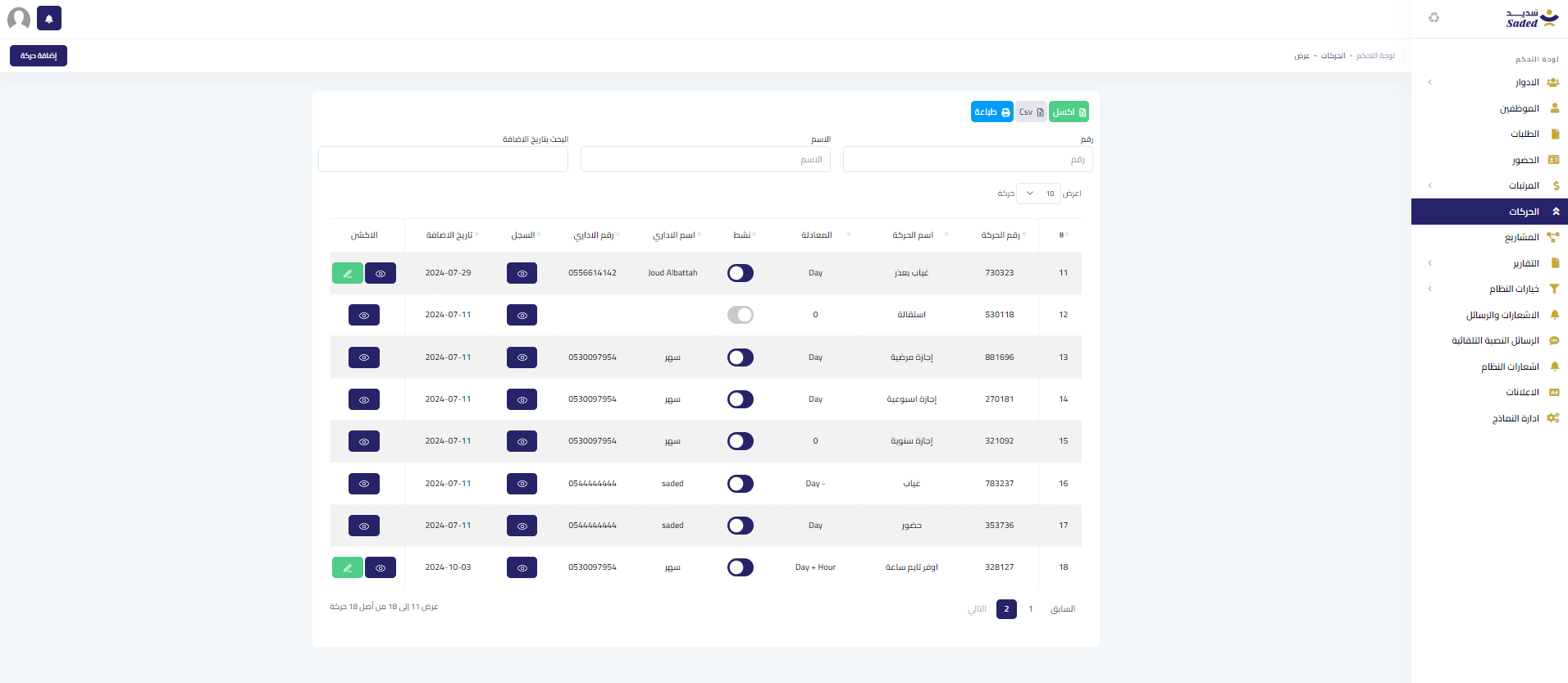
- Send automatic notifications (EMAIL OR SMS) based on employee absences according to labor laws (Article 80) if they are absent for over 30 days in a contractual year or over 15 consecutive days
- Automatically send a written warning after 20 days of absence or 10 consecutive days
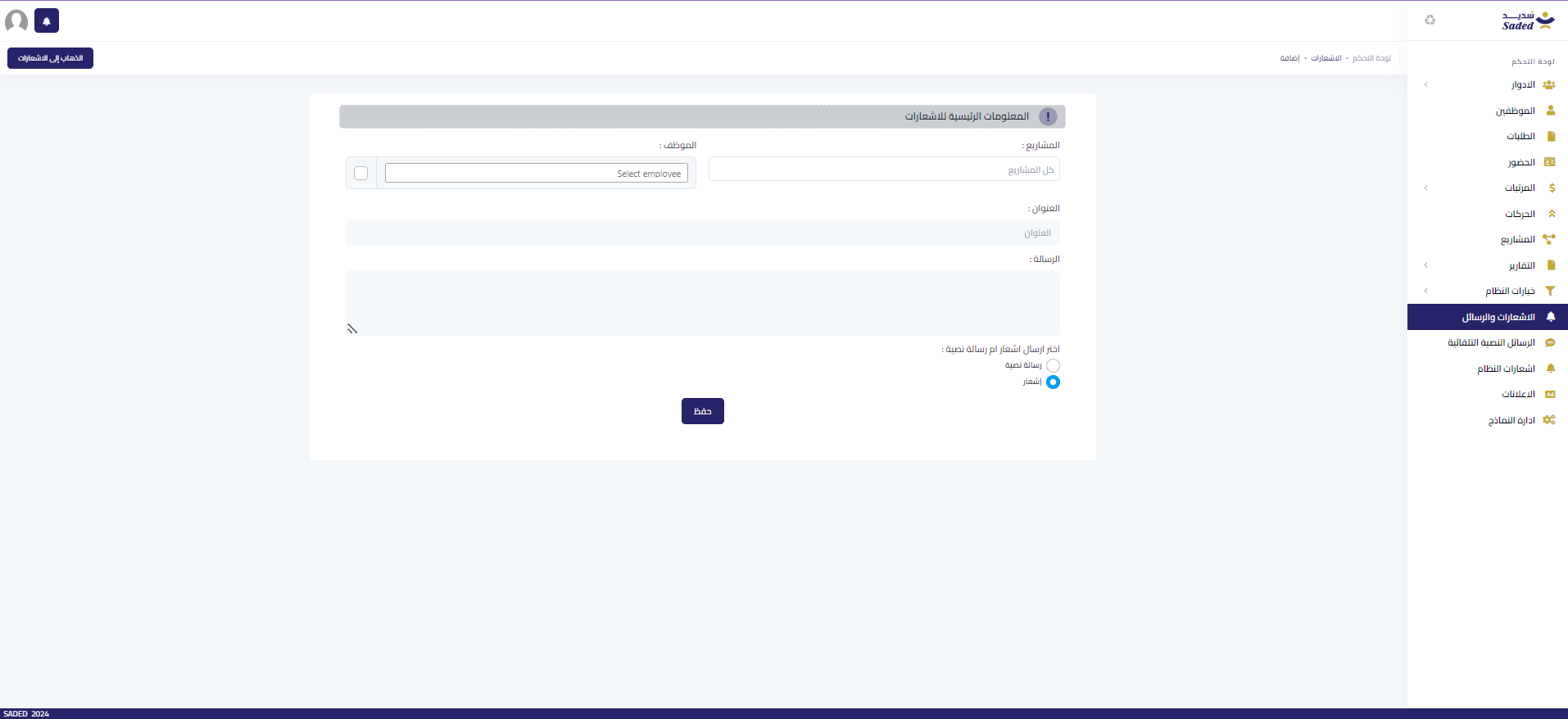
- Send notifications or messages (mobile or email) to employees, specific departments, projects, or individuals
- Manage the list of messages and recipients
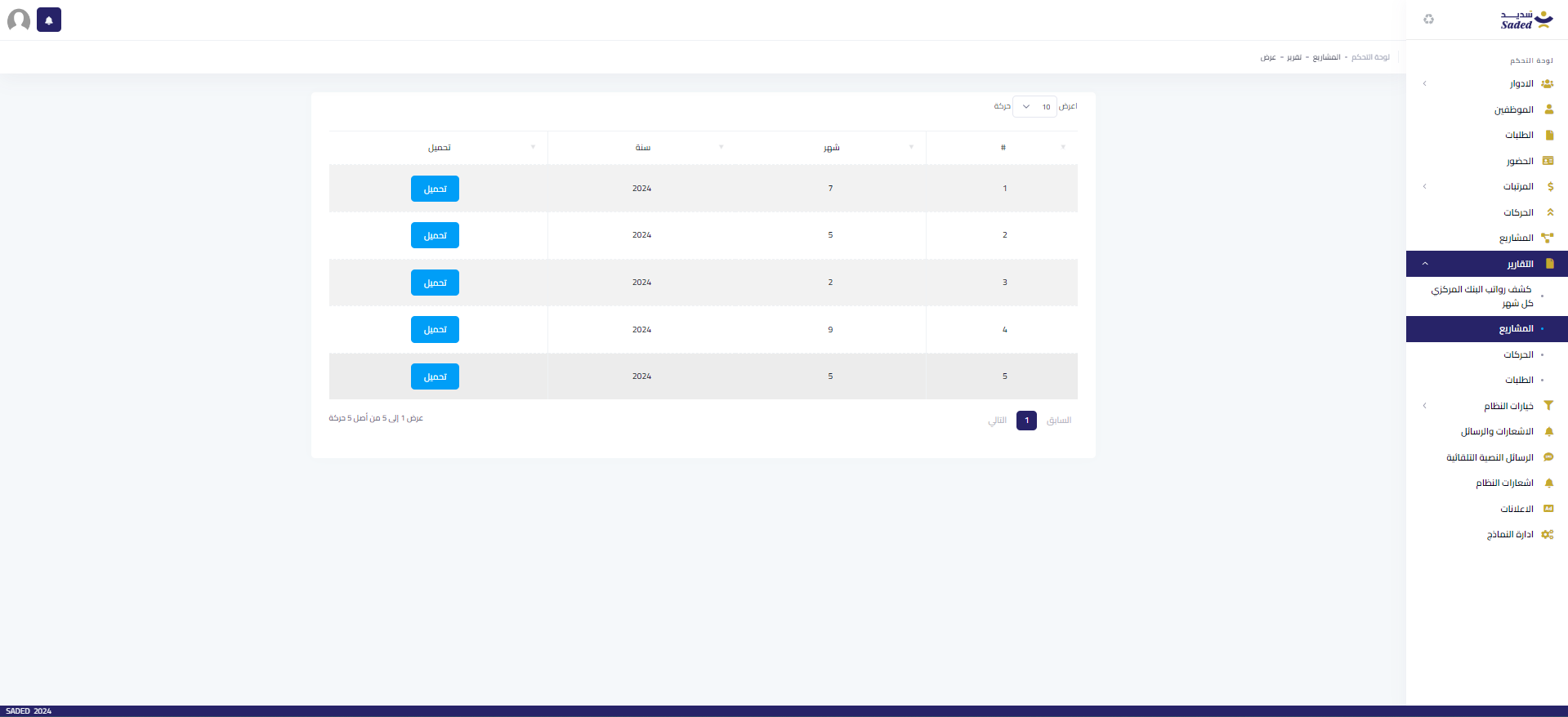
- Generate various reports such as payroll reports for the Central Bank, project reports, and employee movement reports
- Easy-to-use interface to select report types and necessary filters
- Display key statistics to understand company and employee performance
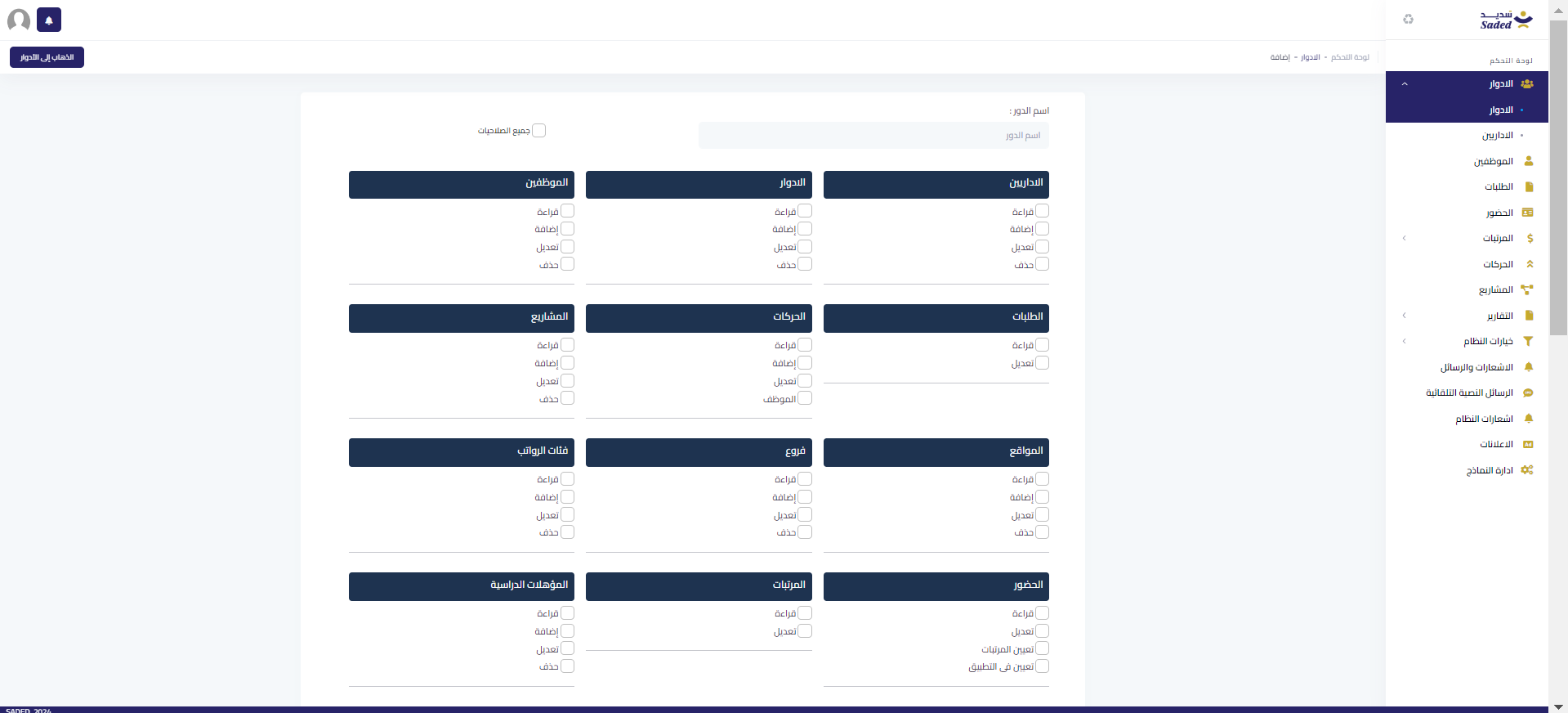
- Manage permissions and assign roles to users in the system
Monthly evaluation for each employee by their assigned supervisor
- Export data to Excel files
- Print data
- Track admin modifications and activities flexibly and precisely
- Automatic notifications for new requests, warnings, or when an employee’s ID, residence permit, or vehicle license is nearing expiration
Employee Mobile Application
With these functions, the app provides employees with a seamless, efficient experience, facilitating direct communication with management and easy management of attendance and leave.

1-Send SMS for account activation
The system can send an SMS with employee ID and password to activate the account
2- View employee information
The app displays complete employee information, including personal and work data
3- View employee status
The app includes an interface to display the employee’s status, such as active or inactive Instant updates when the employee’s status changes by the admin
4- View current project
The app displays information about the current project, including its name and details
5-Submit and view requests
The app has an interface for employees to submit leave, advance, and resignation requests and receive admin responses Requests are recorded instantly, and notifications are sent to management for review
6- View attendance record
Display the employee’s attendance record, including presence, absences, and leaves The record is organized and easy to understand

7- Change password
Employees can change their password